
Now there’s no excuse to not be in tune before capturing that otherwise perfect recording! Helix Stadium Native includes a convenient, built-in tuner with both Needle and Strobe display modes.

To Use the Tuner
-
With your guitar or bass signal routed into the DAW application’s audio track where Helix Stadium Native plugin is inserted, activate the track’s “input monitoring” feature to feed your live input into the plugin. See Live Input Monitoring.
-
Click the toolbar Tuner button

Note: All tuner parameter settings are applied globally, to all future instances of the Helix Stadium Native plugin.
-
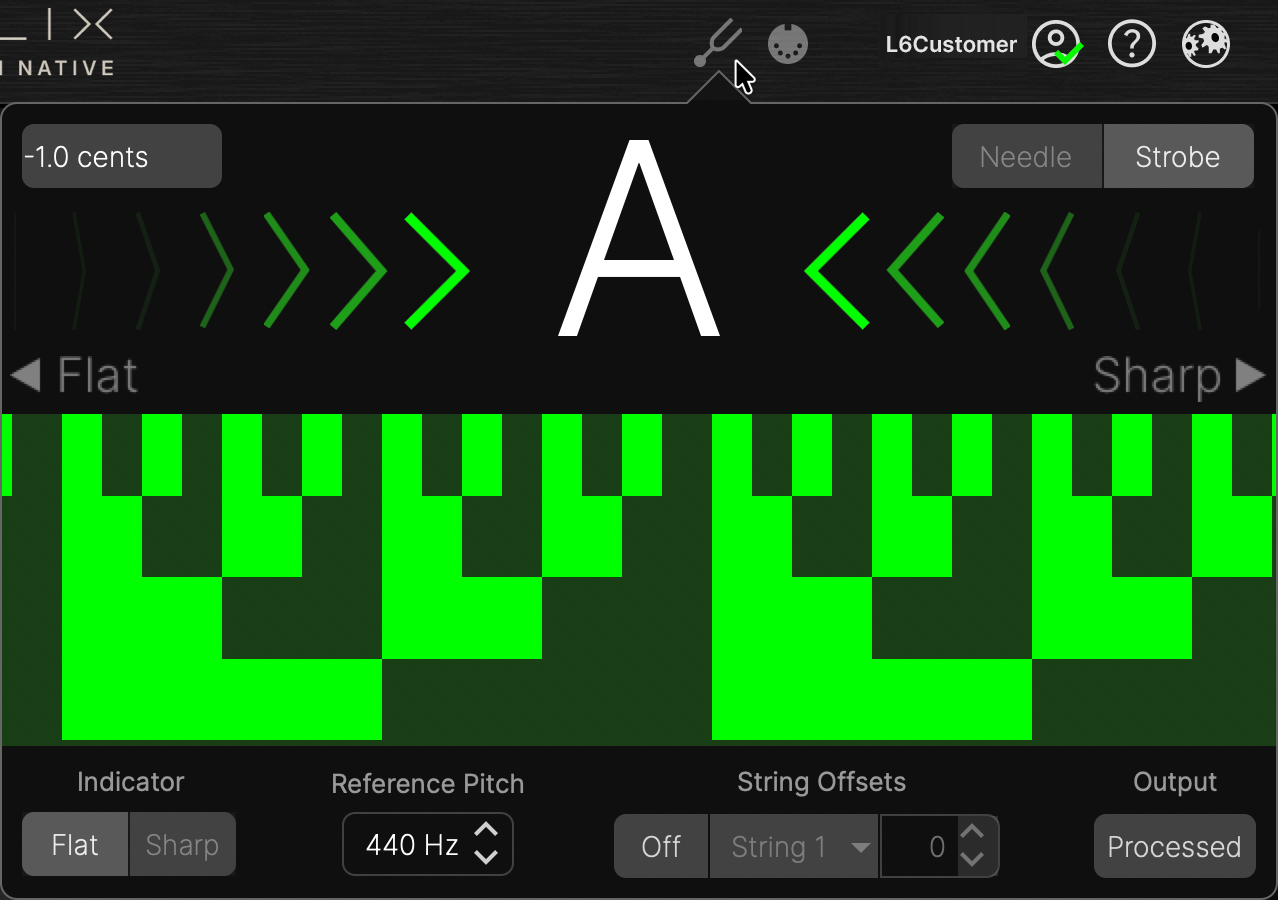
Pluck an individual string on your instrument, and the detected target note is displayed. View the real-time tuner display for your string’s proximity to the target note pitch.
-
Click the Needle or Strobe button

-
Needle: A vertical needle moves left (flat) or right (sharp) to indicate the pitch of your instrument. The needle, flat/sharp arrow indicators, and background change colors to show how far the string is from the target pitch. The display offers a range of ±50 cents. When the needle centers and the background lights green, your string is in tune, as shown above left.
-
Strobe: A checkered background moves left (flat) or right (sharp) to indicate the pitch of your source instrument. The strobe background changes colors to indicate how far the string is from the target pitch. When the strobe background stops moving, your string is in tune, as shown above right.
-
The Cents indicator at the top left of the screen provides a real-time, numerical measurement of your string's pitch relative to the target pitch.
-
Click the toolbar Tuner button
Tuner Settings
Several additional settings in the Tuner are provided, as listed below.
|
Tuner Setting |
Description |
|---|---|
|
Indicator |
Determines whether the note indicator displays flats or sharps. |
|
Cents |
Numerically displays the tuning in negative or positive cents (a cent is one-hundredth of a semi-tone) from the displayed target note. |
|
Reference Pitch |
Optionally, change the tuner’s reference pitch to one other than the standard 440 Hz, from 425 to 455 Hz. |
|
Offsets |
Tuning certain strings slightly sharp or flat relative to concert tuning can improve intonation for some instruments. String offsets calibrate the tuner so that these slightly out-of-tune pitches sound more “in tune.” String 6 is low E, and String 1 is high E. To apply offsets, click the Offsets button to activate the feature, then select the desired string and dial in the offset amount in cents (+ or -). |
|
Output |
Select what is heard from the plugin’s output while the tuner is displayed:
|